


Jobsite theft. Delays. Missed footage when you needed it.
If you’re looking at security camera options, you’ve probably dealt with – or are trying to avoid – at least one of those.
But with so many products shouting the same features, it’s hard to know what’s worth your budget.
We’ll break down the 5 best construction site security cameras in 2025 – what they’re good at, where they fall short, and who they’re really for.



1. OxBlue
Best for: Full-Scope Jobsite Monitoring & Progress Documentation

If you’re managing multiple stakeholders, tight deadlines, or strict compliance requirements, OxBlue is probably already on your radar.
This system doesn’t just “watch your site.” It documents it, analyzes it, and protects it with AI-powered surveillance, time-lapse, and professional emergency response capabilities.
It’s built for construction teams who want visibility, transparency, and total control from wherever they are. Think of it as a full project control tower in camera form.
Features
- Live streaming and HD time-lapse: Capture and track project progress with crisp visuals and automated history.
- AI-powered motion detection: Smarter alerts reduce false alarms (birds, bugs, etc.).
- 24/7 security with optional emergency dispatch: UL-certified agents verify threats in real time.
- Rugged hardware with wide viewing angles: Built for tough sites, with options like solar power and trailer mounting.
- Remote access via intuitive app: View footage, pull reports, or share updates from your phone or laptop.
- Easy sharing & documentation: Automatically generate reports and send annotated updates to stakeholders.
Pros
- Extremely detailed HD visuals with excellent time-lapse tools.
- AI filtering and wide coverage improve security without constant noise.
- Supports insurance compliance and reduces on-site check-ins.
- Solid integrations (like with Procore) make it a seamless part of your tech stack.
- Responsive US-based support team and solid install experience.
Cons
- Pricey for smaller projects
- Requires stable internet (e.g. LTE) for real-time features.
- Motion sensor limits and occasional camera lag have been noted.
- Emergency dispatch and monitoring features can add to ongoing costs.
2. LVT (LiveView Technologies)
Best for: High-Tech, Scalable Jobsite Surveillance with Active Deterrence
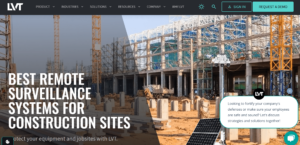
LVT is more like a full-blown mobile command center. If you’re managing high-value, high-risk construction sites where surveillance alone isn’t enough, this platform might be your best bet.
LVT combines AI-powered analytics, live alerts, PTZ cameras, and real-time deterrence into one rugged, solar-powered tower you can roll onto site and deploy in under 30 minutes.
It’s built for teams that want proactive protection, not just passive recording. And while it’s more expensive upfront than plug-and-play cameras, it may save you thousands in theft prevention, false alarms, or onsite guard costs.
Features
- 180° Radar + AI Analytics: Detects and verifies threats with near-zero false alarms.
- Mobile Surveillance Unit: No wiring, drilling, or internet needed.
- HD Cameras with PTZ, Thermal, IR: Covers wide areas with multiple detection modes.
- Cloud-Based Monitoring: Access live feeds and footage from any device.
- Deterrence System: Built-in floodlights, red/blue strobes, and 2-way audio to scare off intruders.
- Time-Lapse Recording: Great for project tracking and stakeholder updates.
- Smart Power: Solar-powered with battery backup and smart generator.
- Scalable Setup: Easily add more units for larger or multi-site coverage.
Pros
- Proactive deterrence system reduces incidents before they happen.
- Ideal for large or high-risk construction sites.
- Remote access and real-time alerts make project oversight easy from anywhere.
- Strong power autonomy – runs without wired power or internet.
- Helps reduce project liability and improve progress visibility.
- Designed specifically for evolving construction environments.
Cons
- Higher upfront cost than basic camera systems.
- May require training or onboarding to get the most from the platform.
- Not ideal for very small projects – might be overkill for a one-day fence job.
- Customer support response time has been a common pain point.
- Integrating with existing systems (if needed) can be clunky.
3. DEFEND Camera
Best for: Simple, Budget-Friendly Cellular Surveillance

DEFEND keeps things refreshingly straightforward. It’s not trying to reinvent jobsite security – it’s just doing the basics really well. If you want a camera that works out of the box, doesn’t need Wi-Fi, and won’t drain your budget, this one’s worth a look.
The DEFEND camera doesn’t have all the bells and whistles of higher-end systems, but for remote job sites where quick setup, solid video, and low maintenance matter most, it gets the job done.
Features
- Cellular (4G LTE) Connectivity: No Wi-Fi required – just needs a signal.
- 4K Photo & Video: High-resolution imagery for identifying plates, faces, and more.
- Live Viewing Option: See what’s happening in real time via the mobile app.
- 100-ft Night Vision Range: Low-glow IR flash gives visibility after hours.
- Battery & Solar Power Options: Run it on AA batteries or pair with solar for long-term use.
- Weatherproof Build (IP66): Made to handle construction site conditions.
- Internal + Expandable Storage: 8GB onboard and SD card support.
- Custom Motion Alerts: Detects movement and sends mobile alerts.
Pros
- Works anywhere – great for off-grid or infrastructure-poor locations.
- Live view and high-quality image capture offer peace of mind.
- Battery + solar options reduce the need for on-site maintenance.
- Dead simple setup, with a user-friendly mobile app.
- Very affordable compared to other cellular-based systems.
Cons
- Requires a paid cellular plan (starting at $5/month per device).
- Doesn’t include rechargeable battery or solar panel – sold separately.
- Entry-level storage limits (base plan = 250 photos/month).
- Cellular signal quality can vary by location.
- No advanced AI or analytics – basic motion detection only.
4. Vosker VKX / V300
Best for: Remote Sites Without Wi-Fi or Power

If your jobsite is in the middle of nowhere – no Wi-Fi, no power, just risk – Vosker might be exactly what you need. These fully wireless, solar-powered cameras run on 4G/LTE, making them one of the only true off-grid security solutions on the market.
They’re not perfect, and they’re not trying to be. But for rugged jobsites or temporary setups where traditional systems just aren’t possible, Vosker delivers something simple: visibility without infrastructure.
Features
- 4G/LTE Cellular Transmission: Operates independently of Wi-Fi or power hookups.
- Solar & Battery Powered: Long-lasting operation with minimal upkeep.
- AI Image Recognition (Vosker Sense): Identifies people/vehicles to reduce false alerts.
- Vosker App: Manage cameras, receive alerts, adjust settings, and access footage remotely.
- Time-Lapse Mode: Capture progress images automatically at set intervals.
- Weatherproof (IP65): Built tough to handle construction-grade conditions.
- On-Demand Live View (V300, VKX): Not quite live streaming, but close – view snapshots and short clips remotely.
- Preloaded SIM & SD Card: Ready out of the box – just scan and mount.
Pros
- One of the only cameras that works completely off-grid – no Wi-Fi or wired power needed.
- Super easy setup and relocation; great for temporary or rotating job sites.
- Long battery life, especially when solar charging is available.
- Durable, weatherproof build that handles extreme conditions well.
- Mobile app is intuitive and gives decent remote control/customization options.
Cons
- Requires a paid subscription after trial – each camera needs its own plan.
- Night vision is mediocre; expect grainy, low-light footage.
- No real-time streaming (only on-demand previews); hard to adjust aim remotely.
- Download caps and video length limits, especially on basic plans, can be frustrating.
- Cameras can be disabled easily by anyone with physical access – no tamper alerts.
5. Eufy
Best for: High-Resolution Surveillance with No Monthly Fees
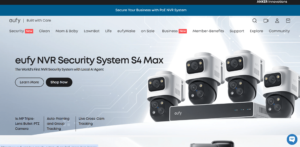
If you’re after ultra-clear video, local storage, and zero subscription headaches, Eufy might be your match – as long as you’re willing to do a bit of setup wrangling.
These cameras are loaded with premium features like 4K resolution, solar power, and AI motion detection, all wrapped in a sleek, weatherproof build.
But here’s the deal: while Eufy’s feature list punches above its price point, actual performance depends on good placement, strong connectivity, and (frustratingly) a bit of patience with the app.
Features
- 4K Ultra-HD Video: Crystal-clear footage with excellent zoom and night vision.
- Solar-Powered: Supports long-term, low-maintenance use in sunny conditions.
- 4G LTE or Wi-Fi Hybrid: Choose connectivity based on your site setup.
- Local Storage: Up to 16TB with no subscription required — a standout feature.
- AI-Powered Detection: Tracks people, pets, and vehicles while reducing false alerts.
- 360° Dual-Cam Coverage: Some models offer full panoramic visibility.
- Time-Lapse Functionality: Useful for project tracking and visual updates.
- Weatherproof Design: Built to handle the outdoor chaos of a construction site.
Pros
- Image quality is genuinely next level – sharper than most cameras in this price range.
- Solar power = minimal maintenance if you get good sunlight.
- No monthly cloud fees thanks to local storage.
- Smart detection features work well once dialed in.
- Flexible setup options for both single and multi-cam needs.
Cons
- The Eufy app is clunky. Expect a learning curve.
- Solar only works well in ideal placement (direct sunlight, no obstructions).
- Connectivity issues crop up, even with strong Wi-Fi or LTE.
- Some users report inconsistent performance between units.
Comparison: Best Construction Site Security Cameras
| Feature / Brand | OxBlue | LVT | DEFEND | Vosker | Eufy |
|---|---|---|---|---|---|
| Live Streaming Access | ✔️ | ✔️ | ✔️ | ❌ | ✔️ |
| Solar Power Support | ✔️ | ✔️ | ✔️ | ✔️ | ✔️ |
| 4G LTE Connectivity | ✔️ | ✔️ | ✔️ | ✔️ | ✔️ |
| Wi-Fi Optionality | ❌ | ❌ | ❌ | ❌ | ✔️ |
| AI-Powered Motion Detection | ✔️ | ✔️ | ❌ | ✔️ | ✔️ |
| Night Vision Quality | ✔️ | ✔️ | ✔️ | ❌ | ✔️ |
| Time-Lapse Functionality | ✔️ | ✔️ | ❌ | ✔️ | ✔️ |
| Deterrence Tools (Lights/Speakers) | ❌ | ✔️ | ❌ | ❌ | ❌ |
| Easy Setup & Portability | ✔️ | ✔️ | ✔️ | ✔️ | ✔️ |
| Local Storage (No Subscription) | ❌ | ❌ | ✔️ | ✔️ | ✔️ |
| Cloud Access / App Control | ✔️ | ✔️ | ✔️ | ✔️ | ✔️ |
| Weatherproof Design | ✔️ | ✔️ | ✔️ | ✔️ | ✔️ |
| Great for Remote / Off-Grid Sites | ✔️ | ✔️ | ✔️ | ✔️ | ✔️ |
| Best Suited For Large Sites | ✔️ | ✔️ | ❌ | ❌ | ❌ |
| Best Suited For Small / Budget Sites | ❌ | ❌ | ✔️ | ✔️ | ✔️ |
What To Avoid?
Not all security cameras are built for construction sites and picking the wrong one can leave you with gaps in coverage, missed footage, or constant maintenance headaches.
Here’s what to steer clear of:
1. Cameras That Require Constant Wi-Fi or Wired Power
Most construction sites don’t have stable power or internet access, especially in early project phases.
Avoid cameras that rely exclusively on wired connections or Wi-Fi. Instead, look for solar-powered, battery-operated, or 4G LTE-enabled systems that can operate independently.
2. Poor Night Vision or No IR Capabilities
If a camera can’t see in the dark, it’s not doing its job.
Construction sites are vulnerable after hours, and a system without infrared or low-light performance could miss crucial activity when it matters most.
3. Non-Rugged, Non-Weatherproof Models
Rain, dust, wind, extreme heat – your average home camera won’t survive a week on a jobsite.
Skip anything without an IP66 or higher rating and opt for units built to handle impact, moisture, and harsh environmental conditions.
4. Wired-Only Cameras That Are Hard to Move
Sites change. Cameras should too.
Avoid setups that require hard wiring or drilling every time you reposition. Mobile or wireless cameras make it easier to adapt as the build progresses without slowing things down.
5. Lack of Smart Features (Like Motion Alerts or Remote Viewing)
A construction camera should be more than a recorder.
If it doesn’t send motion alerts, let you view footage remotely, or integrate easily with cloud/local storage, it’s probably not keeping pace with your site’s needs.
6. Weak Resolution or Image Quality
Don’t waste your money on low-res footage. Anything under 1080p won’t reliably capture license plates, faces, or tools being moved.
Go for cameras that offer 2K or 4K clarity, especially if you’re using footage for incident reports or insurance claims.
7. No Attention to Privacy or Security
If it streams over cellular or cloud, it should have encryption.
Cameras without strong cybersecurity protections can expose you to hacks or footage leaks – especially risky for projects with valuable equipment or sensitive areas.
Don’t Let One Blind Spot Cost You Thousands
Frequently Asked Questions
How many cameras do I need for a construction site?
It depends on your site’s size, layout, and risk areas. Most mid-sized sites benefit from at least 2–4 strategically placed cameras – covering entry points, equipment zones, and perimeters.
Can construction cameras be used indoors and outdoors?
Yes, many models are built for both. Just make sure outdoor units are fully weatherproof (IP66 or higher), and indoor cameras have wide-angle lenses or low-light capabilities for dim, enclosed spaces.
Do I need permits to install cameras on a construction site?
Usually not, but it depends on your location. For private property, you’re generally in the clear, but be mindful of any local laws around recording audio or placing cameras in public or shared spaces.
Can these systems integrate with other jobsite tech?
Some can. Higher-end options like OxBlue or LVT often integrate with project management tools or access control systems, while more basic cameras may operate as standalone devices.
Conclusion
Not all jobsite cameras are built the same. And when theft, downtime, or blind spots can cost you thousands, choosing the right system matters.
From full-command units like OxBlue and LVT to plug-and-play options like DEFEND and Vosker, the best construction site security cameras are the ones that fit your setup, power constraints, risk level, and day-to-day needs.
Whether you’re after live-streaming, long-range coverage, or something that just works off-grid, there’s a reliable option on this list.
Not sure what works best for your site layout, budget, or timelines? Book a free appointment to get honest advice from professionals who’ve installed cameras across NYC job sites just like yours.